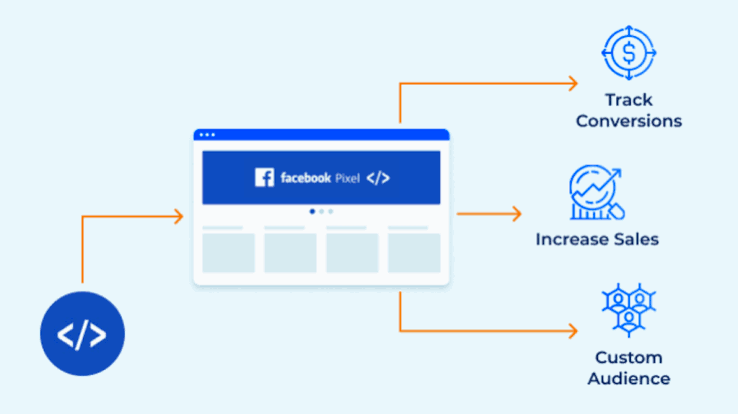
Meta processed over $131 billion in advertising revenue in 2023, and the large majority of that spend ran through accounts where the advertiser had installed the Meta Pixel, a piece of JavaScript code that sits on the advertiser’s website and reports back to Meta’s systems every time a visitor takes a meaningful action. The advertisers generating the strongest returns from Meta Ads are almost universally operating with properly configured, event-rich Pixel setups. The advertisers consistently frustrated by poor targeting, inaccurate attribution, and campaigns that cannot find their audience efficiently are, in a disproportionate number of cases, running on incomplete Pixel data.
The Meta Pixel is not a tracking tag you install and forget. It is the data infrastructure that determines whether Meta’s machine learning systems have enough signal to find the right people, bid intelligently on your behalf, optimise your campaigns toward real business outcomes, and report conversion data accurately. Without it, you are asking one of the most sophisticated advertising platforms in the world to perform with one of its primary inputs missing, and the system responds accordingly.
This article explains what the Meta Pixel actually does inside Meta’s advertising infrastructure, how its data feeds every meaningful campaign decision, what happens to campaign performance when it is missing or misconfigured, and the implementation and event structure that produces the most useful signal for advertisers running campaigns at any scale.
What the Meta Pixel Does Inside Meta’s Advertising System
The Meta Pixel is a JavaScript snippet installed in the head section of your website that fires tracking events to Meta’s servers whenever a visitor performs specific actions, viewing a page, adding a product to a cart, initiating a checkout, completing a purchase, submitting a lead form, or any custom event the advertiser configures. Each event is transmitted back to Meta with information about the action taken, the value associated with it (for purchase events), and the characteristics of the user who performed it, creating a continuous data feed between your website and Meta’s advertising system.
This data feed performs five distinct functions within Meta’s infrastructure, each of which directly affects campaign performance.
Custom Audience creation is the first and most foundational function. The Pixel allows advertisers to build retargeting audiences from people who have taken specific actions on the website, all visitors in the last 30 days, people who viewed a specific product page, people who added to cart but did not purchase, and people who completed a purchase. Without Pixel data, these audiences cannot be built. A Meta retargeting campaign running to “website visitors” from an account with no Pixel is, by definition, targeting nothing, because Meta has no record of who visited the website.
Lookalike Audience generation is the second function. Meta’s lookalike algorithm analyses the characteristics of your Pixel-tracked audience, specifically the people who completed your most valuable conversion events, and finds other Meta users who share behavioural and demographic similarities. A lookalike audience built from 1,000 verified purchasers tracked through Pixel purchase events is significantly more predictive than a lookalike built from a manually uploaded email list, because the Pixel data includes behavioral signals (what content they engaged with, how they navigated the site) alongside the identity signals that a static list contains.
Campaign optimisation signal is the third function. When an advertiser sets a campaign objective (Conversions, Purchase, Lead, Add to Cart), Meta’s delivery system uses Pixel event data to understand which users in the target audience are most likely to complete that specific event and concentrates ad delivery toward those users. This is the mechanism through which Meta’s campaign learning phase works: the system needs a sufficient volume of conversion events (typically 50 per week, per ad set) to develop reliable optimisation signals. Pixel events are how those signals reach Meta’s system.
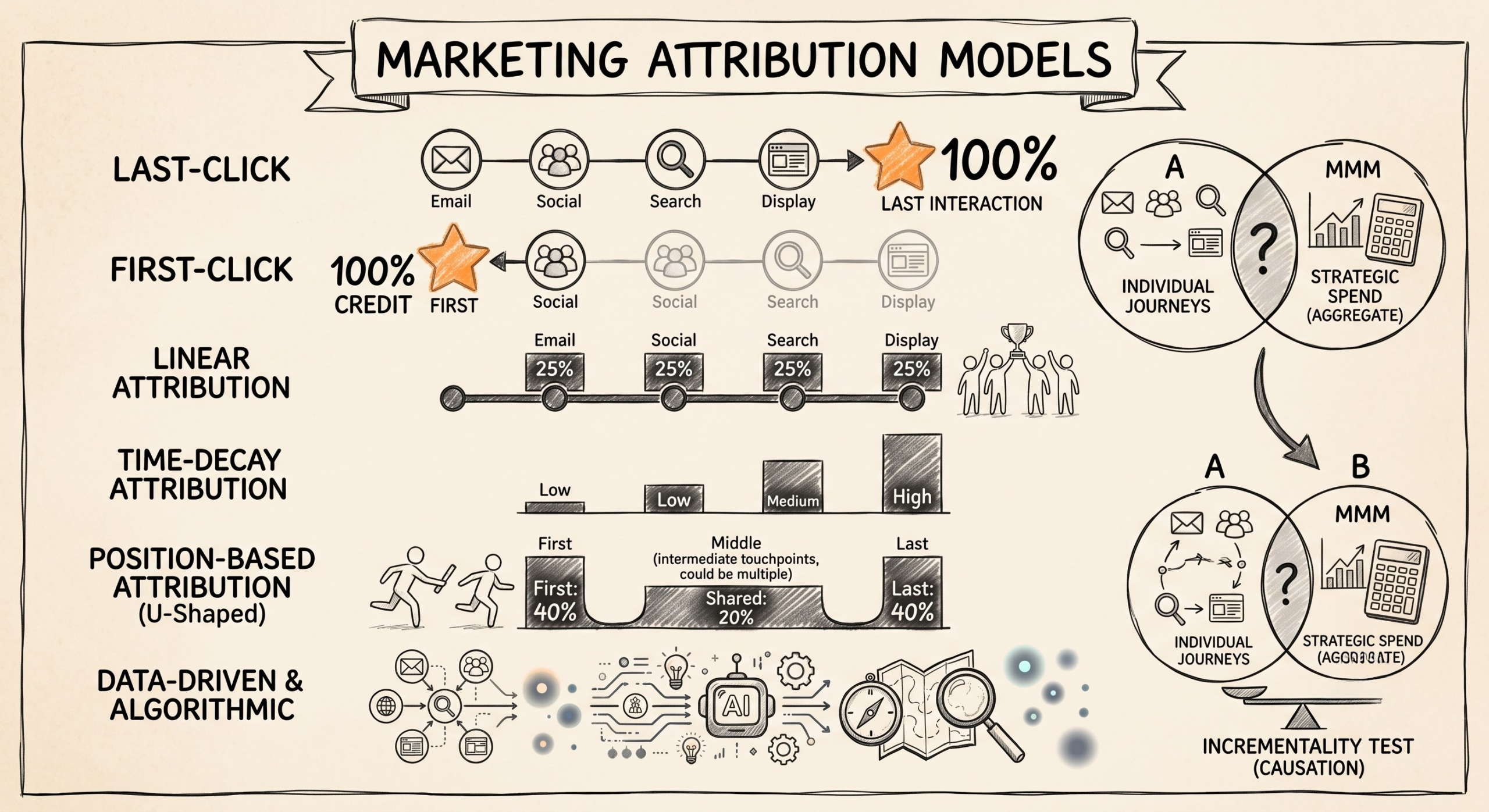
Conversion attribution is the fourth function. The Pixel tracks which website conversions were preceded by a Meta ad exposure, click-through or view-through, within the attribution window the advertiser has configured. This is how the Ads Manager reports return on ad spend, cost per purchase, and conversion volume. Without Pixel data, none of these metrics is available.
Conversion-optimised bidding is the fifth function. Smart bidding strategies, including Cost Per Result Goal and ROAS targets, use Pixel conversion data as the primary input for bid calculation. Meta’s system adjusts bids up or down in each auction based on the predicted probability that a specific user will complete the conversion event, and that prediction is based on Pixel event history.
How Missing or Misconfigured Pixel Data Degrades Campaign Performance
The degradation in campaign performance from absent or poorly configured Pixel data is not abstract, it is measurable and consistent across account types, industries, and campaign scales. Understanding the specific mechanism by which each type of Pixel problem affects performance helps advertisers prioritise which issues to resolve first.
No Pixel installed is the most severe condition. Campaigns running without any Pixel data cannot use conversion objectives, they are limited to traffic and reach objectives that optimise for clicks or impressions rather than business outcomes. The targeting is limited to cold interest-based and demographic audiences because no website visitor data exists for retargeting or lookalike generation. Attribution data is absent entirely, meaning there is no way to evaluate which campaigns, ad sets, or creatives are actually driving conversions. This is the paid social equivalent of running a store without a point-of-sale system, you can attract people to the door, but have no reliable record of what they bought or why.
Pixel installed but events not configured is the second most common condition. Many advertisers install the base Pixel code, which automatically fires a PageView event on every page load, but do not configure the standard events (AddToCart, InitiateCheckout, Purchase, Lead, CompleteRegistration) that represent meaningful buyer actions. A campaign optimised toward PageViews is optimising for the least qualified possible action, anyone who opened any page for any reason. The system finds it easy to generate PageView events in large quantities, while the actual conversion events the business cares about go untracked and unoptimised.
Event configuration errors firing purchase events on pages the visitor reaches before purchasing, firing lead events for every form open rather than every form submit, or firing events without the correct parameters (value, currency, content_id) corrupt the optimisation signal that Meta’s system receives. A campaign that thinks it is optimising toward ₹2,000 purchases but is actually receiving purchase event fires from a confirmation page visited by all users, regardless of whether payment was completed, will find increasingly low-value users who can reach that page efficiently, not the users most likely to actually pay.
Signal loss from iOS 14+ privacy changes represents the third category of Pixel data degradation, and one that is structural rather than implementation-driven. Apple’s App Tracking Transparency framework, rolled out in 2021, significantly reduced the Pixel’s ability to track conversions from iPhone users through cookie-based tracking. Meta responded with the Conversions API (CAPI), server-side event tracking that sends conversion data directly from the advertiser’s server to Meta’s API rather than relying on browser-side JavaScript. Advertisers who have not implemented CAPI alongside the browser Pixel are operating on a materially reduced signal set for any audience that includes iPhone users, which, in the Indian market, where iOS penetration in the premium consumer segment is significant, represents a meaningful data gap.
Standard Events: The Conversion Hierarchy That Meta’s System Needs
Meta’s advertising system is designed around a hierarchy of Standard Events, predefined conversion actions with standardised naming conventions that Meta’s machine learning understands and can optimise toward. Configuring these events correctly, with the right parameters, in the right sequence, is what transforms the Pixel from a basic tracking installation into a campaign optimisation engine.
The Standard Event hierarchy for e-commerce, from earliest funnel stage to latest, is: ViewContent (product page view), AddToCart, InitiateCheckout, AddPaymentInfo, and Purchase. For lead generation businesses, the equivalent hierarchy is: ViewContent (service page view), Lead (form submission or inquiry), and CompleteRegistration (if applicable). Each event in the hierarchy serves a different purpose in campaign management.
Lower-funnel events (Purchase, Lead) are the primary optimisation targets for conversion campaigns, they represent the business outcomes the advertiser actually wants to generate. However, they require sufficient volume (Meta recommends 50 per week per ad set) for the algorithm to learn effectively. New campaigns, small advertisers, and businesses with low transaction volume frequently cannot achieve 50 purchase events per week, which forces the campaign into a perpetual learning phase where the optimisation signal is insufficient for stable delivery and cost-efficient results.
Upper-funnel events (ViewContent, AddToCart, InitiateCheckout) solve this problem by providing higher-volume signals earlier in the funnel. A campaign that cannot achieve 50 weekly purchases may easily achieve 500 weekly AddToCart events, and by optimising toward AddToCart with a constraint on downstream conversion rate, the advertiser can give the algorithm enough signal to learn while still directing delivery toward users most likely to eventually purchase. This strategy requires monitoring the AddToCart-to-Purchase conversion rate closely to ensure the campaign is finding users who actually convert, not just users who add to cart without purchasing.
Custom events extend the Standard Event framework to capture business-specific actions that Meta’s predefined events do not cover, a specific calculator interaction on a financial services site, a video completion on a brand awareness page, a specific product configuration step in a complex purchase flow. Custom events can be configured as optimisation targets in Meta campaigns, allowing advertisers to optimise toward meaningful mid-funnel actions even when those actions do not map cleanly to Standard Events.
The Conversions API: Why Server-Side Tracking Has Become Mandatory
The browser-based Meta Pixel is increasingly insufficient as a standalone tracking solution because of browser-level tracking restrictions, ad blockers, and the iOS privacy changes described earlier. The Conversions API (CAPI) is Meta’s server-side tracking solution that addresses these limitations by sending event data directly from the advertiser’s server to Meta’s API endpoint, bypassing the browser environment where tracking restrictions apply.
CAPI and the browser Pixel are designed to work together, not as alternatives. The browser Pixel captures events from users who have not blocked tracking and whose browsers allow cookie-based measurement. CAPI captures events from the server side for all conversion events, including those from users whose browser-side tracking was blocked or restricted. When both are running with deduplication logic to prevent the same event from being counted twice, the combined signal set is more complete than either implementation alone.
The practical impact of implementing CAPI alongside the browser Pixel is measurable in three specific ways: reduced attributed conversion loss from privacy-restricted browsers (typically a 15–30% recovery in reported conversion volume for accounts with significant iOS traffic), improved campaign optimisation signal completeness (the algorithm has a fuller picture of which users convert), and more accurate ROAS reporting that better reflects actual business outcomes.
For Shopify merchants, Meta’s native Shopify integration handles both browser Pixel and CAPI configuration without requiring custom development, reducing the implementation complexity to a connection authorization in Shopify’s marketing settings. For WordPress and WooCommerce sites, the PixelYourSite plugin and several dedicated Facebook/Meta integration plugins handle CAPI alongside the browser Pixel. For custom-built sites, CAPI implementation requires server-side development work to send event payloads to Meta’s API at the point where conversions are confirmed on the server, typically at order confirmation, form submission processing, or user registration completion.
Pixel Event Quality: Using Meta’s Diagnostic Tools to Validate Your Setup
Installing the Pixel and configuring events do not guarantee that the events are firing correctly, with the right parameters, at the right moments in the conversion flow. Meta provides several diagnostic tools that advertisers should use to validate Pixel health before drawing performance conclusions from campaign data.
Meta Pixel Helper is a Chrome browser extension that shows in real time which Pixel events are firing on each page, whether the Pixel ID is correct, and whether any implementation errors are present. Walking through your own website’s conversion flow, from a product page through checkout to the confirmation page, with Pixel Helper active, reveals which events fire at each step and whether any expected events are absent or duplicated.
Events Manager in Meta Business Suite provides an aggregate view of all events received by the Pixel in the last seven days, including event volume, parameter completeness, match rates (the proportion of events successfully matched to a Meta user), and deduplication status for accounts running both browser Pixel and CAPI. The Match Rate metric is particularly important: events that cannot be matched to a Meta user cannot be used for optimisation or attribution. Match rates below 70% indicate that the event data is missing key user identifiers (email, phone number, browser information) that would allow Meta to connect the event to an ad exposure.
Test Events tool within Events Manager allows advertisers to validate specific conversion flows by triggering test mode in their browser and walking through the conversion sequence, with Events Manager displaying in real time which events were received, what parameters were passed, and whether any errors occurred. This is the most reliable way to confirm that a CAPI implementation is functioning correctly before launching live campaigns against it.
The Strategic Priority for Brands
The Meta Pixel is not a technical afterthought, it is the data infrastructure that determines whether Meta’s advertising platform performs as designed. Every campaign decision Meta’s system makes, from audience selection to bid optimisation to conversion attribution, runs on Pixel data as its primary input. Campaigns running on incomplete, misconfigured, or absent Pixel data are asking an optimisation system to work without its primary signal source.
The implementation priority for any advertiser running or planning to run Meta Ads is: install the base Pixel on all website pages immediately; configure the full Standard Event hierarchy relevant to your business model (e-commerce or lead generation); validate event firing and parameter completeness through Pixel Helper and Events Manager; implement CAPI alongside the browser Pixel to recover signal loss from privacy-restricted browsers, and establish a routine Pixel health monitoring practice, checking Events Manager monthly for match rate degradation, event volume drops, or new implementation errors introduced by website updates.
The advertisers who generate disproportionate returns from Meta Ads are not necessarily running more creative campaigns or spending more than their competitors. In many cases, they are running the same campaign types with the same budget levels but on substantially better data infrastructure, which means the algorithm they are working with has better signal, makes better decisions, and delivers better outcomes from the same underlying investment. That infrastructure advantage starts with the Pixel, and it compounds with every conversion event the system receives and every campaign optimisation decision those events inform.