Website speed has become one of the most important ranking factors for search engines and a critical element of user experience. In today’s fast-paced digital world, users expect websites to load within seconds. If your website takes too long to load, visitors may leave before viewing your content, leading to lost traffic, lower engagement, and reduced conversions.
For WordPress website owners, Google PageSpeed Insights is one of the most valuable tools for measuring and improving website performance. Whether you run a business website, blog, portfolio, or WooCommerce store, understanding how PageSpeed Insights works can help you create a faster and more successful website. Closing a Core Web Vitals gap on a live WordPress site without breaking layout or analytics is part of the standard delivery of our WordPress developers in Kolkata, who maintain a documented remediation playbook for each Vital.
In this guide, we’ll explore what PageSpeed Insights is, why it matters, and how to improve your WordPress website’s performance score.
What is Google PageSpeed Insights?
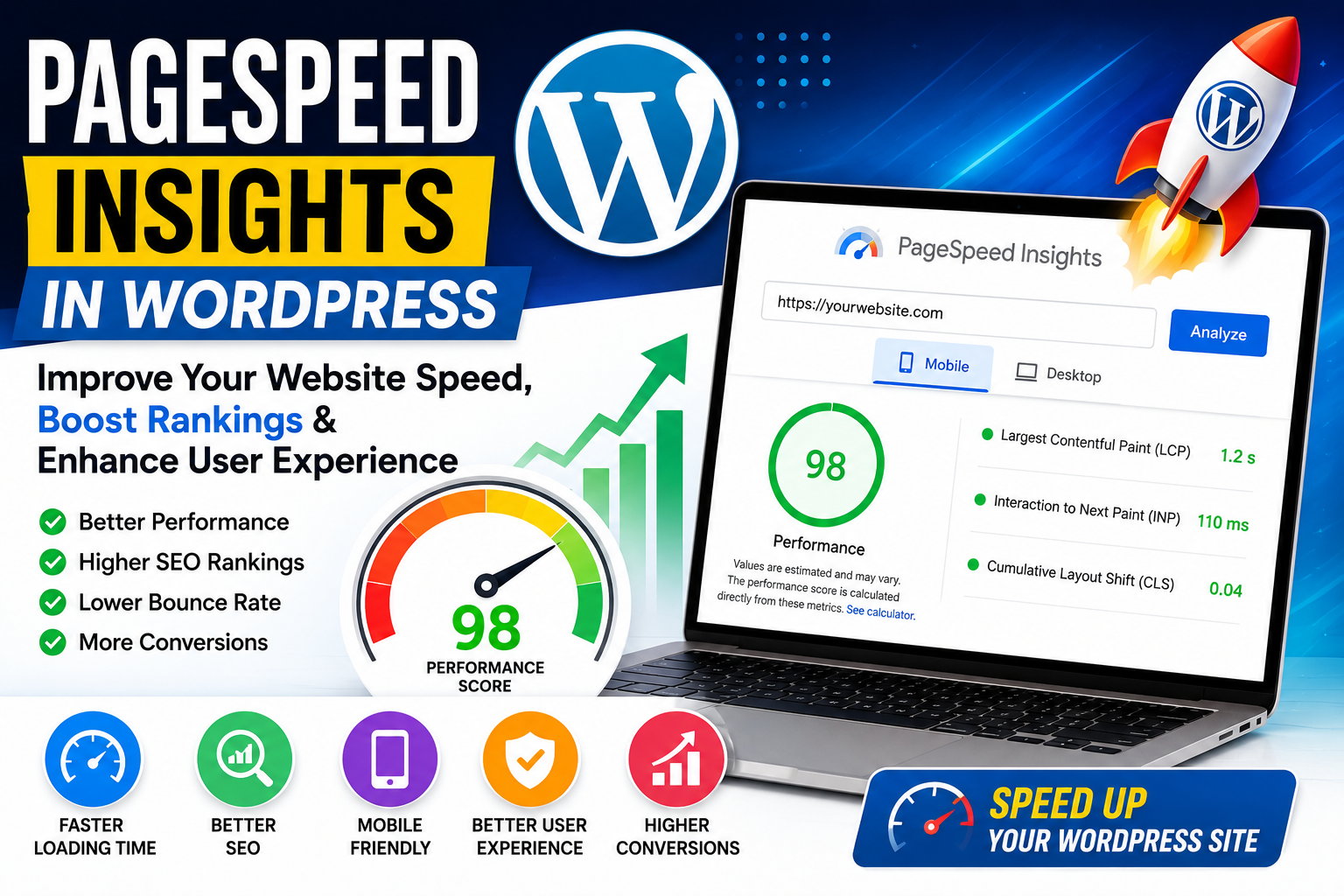
Google PageSpeed Insights (PSI) is a free tool developed by Google that analyzes the speed and performance of web pages on both desktop and mobile devices.
The tool evaluates various aspects of website performance and provides:
- Overall performance score
- Core Web Vitals metrics
- Loading speed analysis
- Optimization recommendations
- User experience insights
The score ranges from 0 to 100:
- 90-100: Good
- 50-89: Needs Improvement
- 0-49: Poor
A higher score indicates better website performance and user experience.
The deeper non-developer walkthrough of each Core Web Vital — what fails it, how to spot the cause, and what an acceptable score looks like in 2026 – sits in our Core Web Vitals Optimization guide
Why PageSpeed Insights Matters for WordPress Websites
Many website owners focus only on design and content while overlooking website speed. However, speed directly impacts multiple aspects of online success.
Better User Experience
Visitors expect fast-loading websites. Research consistently shows that users are more likely to leave a website if it takes longer than a few seconds to load.
A faster WordPress website leads to:
- Lower bounce rates
- Increased page views
- Longer session durations
- Better customer satisfaction
Improved SEO Rankings
Google uses page experience as a ranking factor.
Faster websites often benefit from:
- Better search visibility
- Higher rankings
- Increased organic traffic
The exact weight that page speed carries inside Google’s algorithm is documented in our [Core Algorithm Leak analysis]
A good PageSpeed Insights score can contribute to stronger SEO performance. For large WooCommerce installs specifically, the catalogue-scale performance playbook is covered in our [WooCommerce 10,000-product scaling guide]
Higher Conversion Rates
Whether you’re collecting leads or selling products, website speed affects conversions.
Even a one-second improvement in load time can increase:
- Sales
- Form submissions
- Newsletter signups
- Customer engagement
Understanding Core Web Vitals
PageSpeed Insights measures three important Core Web Vitals metrics.
Largest Contentful Paint (LCP)
LCP measures how quickly the main content of a page loads.
Recommended Target:
Under 2.5 seconds
A slow LCP usually indicates:
- Large images
- Slow hosting
- Unoptimized code
Interaction to Next Paint (INP)
INP measures responsiveness when users interact with your website.
Recommended Target:
Under 200 milliseconds
Poor responsiveness can occur due to:
- Excessive JavaScript
- Heavy plugins
- Server delays
Cumulative Layout Shift (CLS)
CLS measures visual stability.
Recommended Target:
Less than 0.1
High CLS occurs when page elements unexpectedly move during loading.
Common causes include:
- Missing image dimensions
- Dynamic ads
- Unoptimized fonts
Common Reasons for Low PageSpeed Insights Scores in WordPress
Many WordPress websites struggle with performance issues due to poor optimization.
Heavy Themes
Some themes include excessive scripts, animations, and design elements that slow down loading times.
Choosing lightweight themes can significantly improve performance.
Examples include:
- Astra
- GeneratePress
- Kadence
Too Many Plugins
Plugins add functionality but can also increase load times.
Common issues include:
- Duplicate functionality
- Poorly coded plugins
- Excessive database queries
Regular plugin audits help maintain performance.
Large Images
Unoptimized images are among the most common reasons for slow WordPress websites.
Large image files increase:
- Page size
- Loading times
- Bandwidth consumption
Compressing images can dramatically improve speed.
Poor Hosting
Even a well-optimized website can perform poorly on low-quality hosting.
Shared hosting often struggles during traffic spikes.
Investing in quality WordPress hosting improves:
- Server response time
- Stability
- Overall performance
How to Improve PageSpeed Insights Score in WordPress
1. Use Fast WordPress Hosting
Hosting forms the foundation of website performance.
Choose providers that offer:
- SSD storage
- Server-side caching
- CDN integration
- Optimized WordPress environments
A reliable hosting provider can dramatically improve load times.
2. Install a Caching Plugin
Caching reduces server workload by serving pre-generated versions of your pages.
Popular caching plugins include:
- WP Rocket
- LiteSpeed Cache
- W3 Total Cache
- WP Super Cache
Caching can significantly improve PageSpeed Insights scores.
3. Optimize Images
Images often account for the largest portion of page weight.
Best practices include:
- Compress images before upload
- Use WebP format
- Resize images appropriately
- Enable lazy loading
Image optimization reduces loading times without sacrificing quality.
4. Minify CSS and JavaScript
Minification removes unnecessary characters from code files.
Benefits include:
- Smaller file sizes
- Faster downloads
- Improved rendering speed
Many optimization plugins can automate this process.
5. Enable Content Delivery Network (CDN)
A CDN stores website assets across multiple global servers.
Benefits include:
- Faster content delivery
- Reduced latency
- Improved global performance
Popular CDN providers include Cloudflare and Bunny CDN.
6. Reduce Plugin Usage
Evaluate your installed plugins regularly.
Remove plugins that are:
- Unused
- Outdated
- Replaced by better alternatives
Fewer plugins generally result in better performance.
7. Optimize Your Database
Over time, WordPress databases accumulate unnecessary data.
Database optimization removes:
- Post revisions
- Spam comments
- Temporary data
- Expired transients
A clean database improves website efficiency.
8. Use Lightweight Themes
A lightweight theme provides a strong foundation for speed optimization.
Fast WordPress themes include:
- Astra
- GeneratePress
- Kadence
- Blocksy
Avoid overly complex themes loaded with unnecessary features.
Best WordPress Plugins for Speed Optimization
Several plugins can help improve PageSpeed Insights scores.
WP Rocket
Features:
- Page caching
- File optimization
- Lazy loading
- Database cleanup
LiteSpeed Cache
Ideal for LiteSpeed servers.
Features:
- Advanced caching
- Image optimization
- CDN integration
Perfmatters
Helps remove unnecessary WordPress features and scripts.
Asset CleanUp
Allows selective loading of CSS and JavaScript files.
These plugins can significantly improve performance when configured correctly.
Mobile Performance Matters More Than Ever
Google primarily evaluates websites using mobile-first indexing.
This means your mobile website performance has a direct impact on SEO.
Focus on:
- Responsive design
- Mobile optimization
- Fast-loading mobile pages
- Touch-friendly navigation
Improving mobile PageSpeed Insights scores often produces the greatest SEO benefits.
Final Thoughts
Google PageSpeed Insights is an essential tool for measuring and improving WordPress website performance. A fast-loading website not only provides a better user experience but also contributes to stronger SEO rankings, higher conversion rates, and increased customer satisfaction.
By optimizing hosting, images, plugins, themes, caching, and Core Web Vitals, WordPress website owners can achieve significant performance improvements. Remember that website speed optimization is not a one-time task but an ongoing process that requires regular monitoring and updates.
Investing time in improving your PageSpeed Insights score today can result in better search visibility, increased traffic, and greater business success in the long run.
Page speed is the single most-overlooked technical-SEO lever for WordPress sites, which is why our Kolkata SEO agency and our WordPress development team run page-speed remediation as a joint sprint on every retainer where it is in scope.