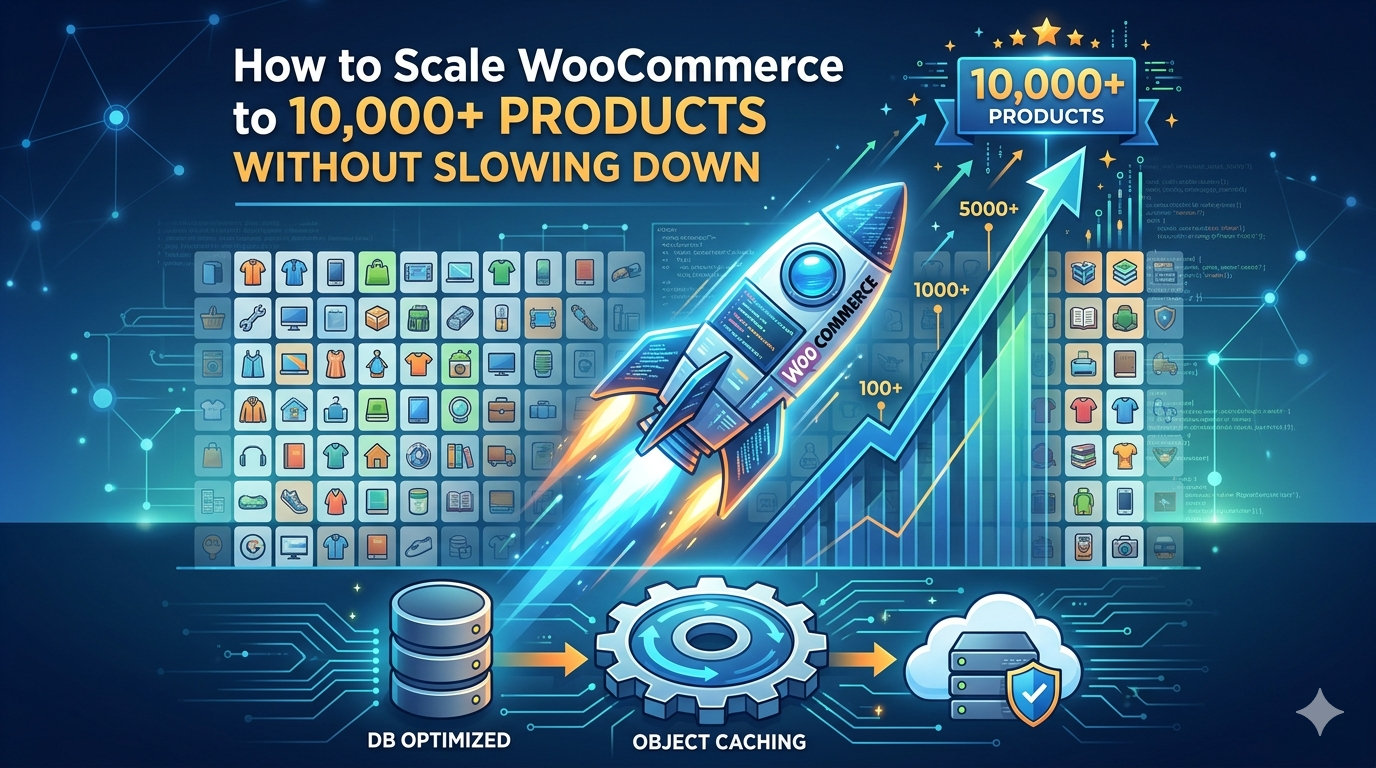
For growing e-commerce businesses, reaching a catalog milestone of 10,000+ products is an exciting achievement. However, it is also the exact point where standard, out-of-the-box WordPress configurations begin to buckle. If your website takes more than three seconds to load, or if your checkout page spins endlessly during peak traffic, you aren’t just losing search engine rankings—you are actively losing revenue.
Many business owners assume that a slow store is simply the price of using WordPress for large-scale e-commerce. This is a misconception. WooCommerce is fully capable of handling enterprise-level catalogs and thousands of concurrent transactions. The bottleneck isn’t the platform; it is the underlying database architecture, server configuration, and code efficiency.
Scaling a massive store requires moving past basic plugin management and diving into high-performance web engineering. Here is a technical blueprint for architecting a scalable WooCommerce ecosystem that maintains lightning-fast load times, even with tens of thousands of SKUs.
1. Optimize the Database for High-Frequency Queries
When a customer visits a product category page on a standard site, the system must search through millions of rows of metadata to pull up the correct price, stock status, weight, and variations. This is known as a relational database bottleneck.
Implement High-Performance Order Storage (HPOS)
Historically, every single WooCommerce order was saved as a custom post type in the wp_posts table. If you have 10,000 products and process hundreds of orders a day, that table bloats exponentially. WooCommerce’s High-Performance Order Storage (HPOS) solves this by moving order data into dedicated, custom database tables. This separates your transactional customer data from your product catalog data, drastically reducing query times during checkout.
Clean and Index Your Database
A bloated database forces your server to work harder to find basic information. Regularly prune expired transients, old product revisions, and abandoned carts. Furthermore, a skilled wp developer can manually add custom indexes to your MySQL/MariaDB database tables, allowing the system to locate high-frequency data points instantly rather than scanning entire tables row by row.
2. Implement Advanced Object Caching (Redis or Memcached)
Standard page caching works by saving a static HTML snapshot of a webpage and serving it to visitors. While this works beautifully for a standard blog post or an “About Us” page, it fails dramatically on a dynamic e-commerce site.
You cannot serve a cached page to a user looking at their unique shopping cart, viewing personalized product recommendations, or checking out. This is where Object Caching becomes critical.
Object caching stores the results of complex database queries in the server’s short-term memory (RAM). When a second user requests the exact same product variation or category filter, WooCommerce grabs the data instantly from the RAM instead of querying the MySQL database all over again.
Integrating Redis or Memcached into your hosting stack relieves immense pressure from your database. Instead of hundreds of database queries per page load, your server handles the request in milliseconds, preserving vital server resources for checkout operations.
3. Streamline Dynamic Search and Product Filtering
If you have over 10,000 products, your users rely heavily on search bars and sidebar filters (such as filtering by size, color, price, or brand) to find what they want.
Running complex layered navigation filters through native WordPress queries will crash your server under heavy traffic. The native search functionality has to scan text fields across thousands of database entries simultaneously.
Offload Search to Elasticsearch
To safely scale your catalog, you must offload the search and filtering computational load entirely away from your WordPress database. Implementing an external search engine like Elasticsearch (via services like ElasticPress or enterprise hosting integrations) shifts the heavy lifting to a dedicated search cluster.
When a customer searches for a product or applies a complex multi-attribute filter, Elasticsearch handles the query instantly and returns the filtered product IDs back to WooCommerce. This results in near-instantaneous search results, drastically improving user experience and conversion rates.
4. Tackle the Complexities of Product Variations
A catalog of 10,000 parent products can easily balloon into 100,000+ total items if your products feature heavy variations (e.g., a shirt available in 5 sizes, 4 colors, and 3 fabric types equals 60 distinct variations for a single product).
Each individual variation functions as its own row in the database. When a user changes a dropdown on a highly variable product page, the frontend must fetch the updated price, image, and stock status.
To prevent these pages from lagging:
Increase the WooCommerce Variation Threshold: By default, if a product has more than 50 variations, WooCommerce switches from loading variations dynamically via AJAX to loading them all upfront in the page source, which causes severe page bloat. Adjusting this threshold requires careful code optimization to prevent browser lag.
Optimize Script Loading: Ensure that scripts responsible for variation switching are minimized, deferred, and combined to reduce render-blocking delays.
5. Choose the Right Infrastructure: Decoupled and Managed
You cannot host an enterprise-level WooCommerce store on a standard shared or entry-level Virtual Private Server (VPS) plan. Large stores require a specialized architecture tailored to handle asynchronous tasks and parallel requests.
Managed Cloud Hosting
Your infrastructure should utilize containerized cloud hosting (such as AWS, Google Cloud, or specialized enterprise WordPress hosts) that offers auto-scaling. If your store experiences a sudden surge in traffic from a marketing campaign, your server resources (CPU and RAM) should scale up automatically to absorb the load without throwing 502 Bad Gateway errors.
Utilize a Content Delivery Network (CDN)
Offload all static assets—such as your product images, CSS files, and JavaScript—to a global CDN like Cloudflare Enterprise. This ensures that your main server only handles dynamic, transactional data, while users pull heavy media files from a server physically closest to them.
Strategic Architecture: The Hybrid and Headless Approach
For ultra-high-performance applications, some enterprises opt for a headless WordPress development architecture. In a headless setup, WooCommerce is strictly used as a backend database and order management tool, while the frontend user interface is built using a lightning-fast JavaScript framework like React or Next.js. The frontend communicates with WooCommerce via the WP REST API or GraphQL, providing instant page transitions and decoupled security.
Conclusion: Build for the Future
Scaling WooCommerce past 10,000 products is entirely achievable, but it demands an intentional approach to database hygiene, memory caching, search offloading, and server architecture. When these technical components work in harmony, your store will remain remarkably fast, secure, and ready to convert traffic into revenue.
Building a massive storefront requires specialized technical expertise. Learn how an experienced WooCommerce developer from our team can optimize your database structure, implement advanced caching, and build an enterprise-ready infrastructure tailored for peak performance.